Skip to content
Pace logo
  • Ride Pace
    Bus Tracker
    Trip Planner
    Routes & Schedules
    • Alerts & Notices
      • Alerts & Notices
    • Bus Services
      • Bus Services
      • Bus Tracker Tools
      • Express to Events
      • Expressway Routes
      • Getting to the Airport
      • Pulse
      • Routes, Schedules & Maps
      • Transit Centers & Park-n-Rides
      • Trip Planner
    • Fares & Passes
      • Fares & Passes
      • Buy ADA Paratransit Tickets
      • Reduced Fare
      • Sales Locations
      • Student Passes
      • Ventra Card & App
    • Passenger Facilities
    • Reservation-Based & Other Services
      • Reservation-Based & Other Services
      • ADA Paratransit & TAP
      • Dial-a-Ride
      • On Demand
      • RideShare Matching
      • Vanpool
    • Rider Resources
      • Rider Resources
      • ADA Paratransit Service Guides
      • Bikes on Buses
      • Bus Stop Policy
      • Passenger Safety
      • Shelters & Amentities
      • System Maps
      • Transit App (Trip Planning Tool)
  • Inside Pace
    Customer Service
    Doing Business
    Careers
    • About
      • About
      • Board of Directors
      • Employment
      • Locations
      • Citizens Advisory Board
      • ADA Advisory Committees
    • Data & Transparency
      • Data & Transparency
      • Budget Documents
      • Financial Reports
      • Freedom of Information
      • GTFS Data
      • Performance Metrics
      • Ethics Policy
    • Doing Business
      • Doing Business
      • Advertising Opportunities
      • Awarded Contracts
      • Disadvantaged Business Enterprise
      • iSupplier Portal
      • Transit Supportive Development Guidelines
      • Anticipated Procurement Opportunities
      • Guide to Doing Business with Pace
      • Open Solicitations
      • Bid Results
    • Events
      • Public meetings
    • Contact Pace
      • Contact Pace
      • Customer Service
      • Customer Survey
      • Frequently Asked Questions (FAQ)
      • Media Inquiries
      • Contact Directory
    • News
    • Policies & Legal Notices
      • Policies & Legal Notices
      • Equal Employment Opportunity
      • Public Hearings
      • Section 608
      • Title VI
    • Projects & Studies
      • Projects & Studies
      • I-290 / I-88 Express Bus Study
      • Driving Innovation Plan
      • Far South Halsted Corridor Study
      • ReVision Network Restructuring Project
      • Zero Emissions Project
    • Public Meetings
  • Contact Us
  • For New Riders
  • For Riders with Disabilities
  • For Visiting Riders

Using Ventra

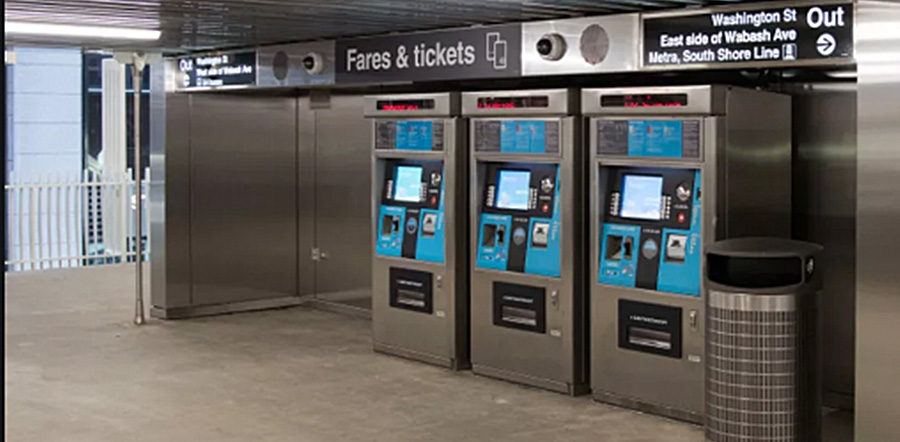
Ventra Ticket Image

Ventra is the fare payment system for Pace, CTA and Metra.

For all Pace fixed route and On Demand services, the best way to pay your fare is with a registered Ventra Card. Riders are encouraged to get a Ventra Card and register a transit account at ventrachicago.com or by calling 1.877.NOW.VENTRA. Registered Ventra Card users can load multi-day passes and transit value to their card, and have their balance protected if the card is lost or stolen.

There are hundreds of suburban retail locations where customers can obtain Ventra Cards or reload value or passes to their accounts. To find your nearest Ventra retailer, visit the Ventra retailer look-up web page and enter your ZIP code, or look for the machine at any CTA "L" station, at Ogilvie Transportation Center, at Union Station, or at several Pace Facilities.

Other helpful information about paying your fare:

  • Some riders qualify for reduced or free fares. See this page for more information.
  • Riders can also pay with cash (using exact change) or contactless bank cards. Transfers to/from other Pace and CTA fixed route buses and trains are only available using a Ventra card or a contactless bank card registered with Ventra.
  • You can pay for ADA Paratransit and Dial-a-Ride trips through Ventra by arranging the payment when you reserve your ride by phone call. For additional information about Ventra on paratransit, see this page. Details on Ventra payment for Dial-a-Rides is found here.

Ventra App

Riders with smartphones benefit from easier account management with the Ventra app--which has all the functionality of the vending machine, but fits right in your pocket! Pace, CTA and Metra worked together on development of the Ventra App, which allows customers to buy passes, add transit value and manage their Ventra account, as well as purchase and display mobile Metra passes and tickets using Ventra transit value and/or bankcards.

Exciting new improvements have come to the Ventra app and we want to make sure that your mobile devices are prepared to take full advantage of these new enhancements. Please make sure that the operating system in your mobile device is up to date. This will allow you to enjoy the full functionality of these new enhancements. NOTE: If you have a phone, tablet or other device running on an operating system of Android 6 and older or iOS 9 and older, you should consider updating your device or operating system. Unfortunately, these operating systems are no longer supported by their manufacturers and this may limit app functionality.
Ventra Card is on iPhone

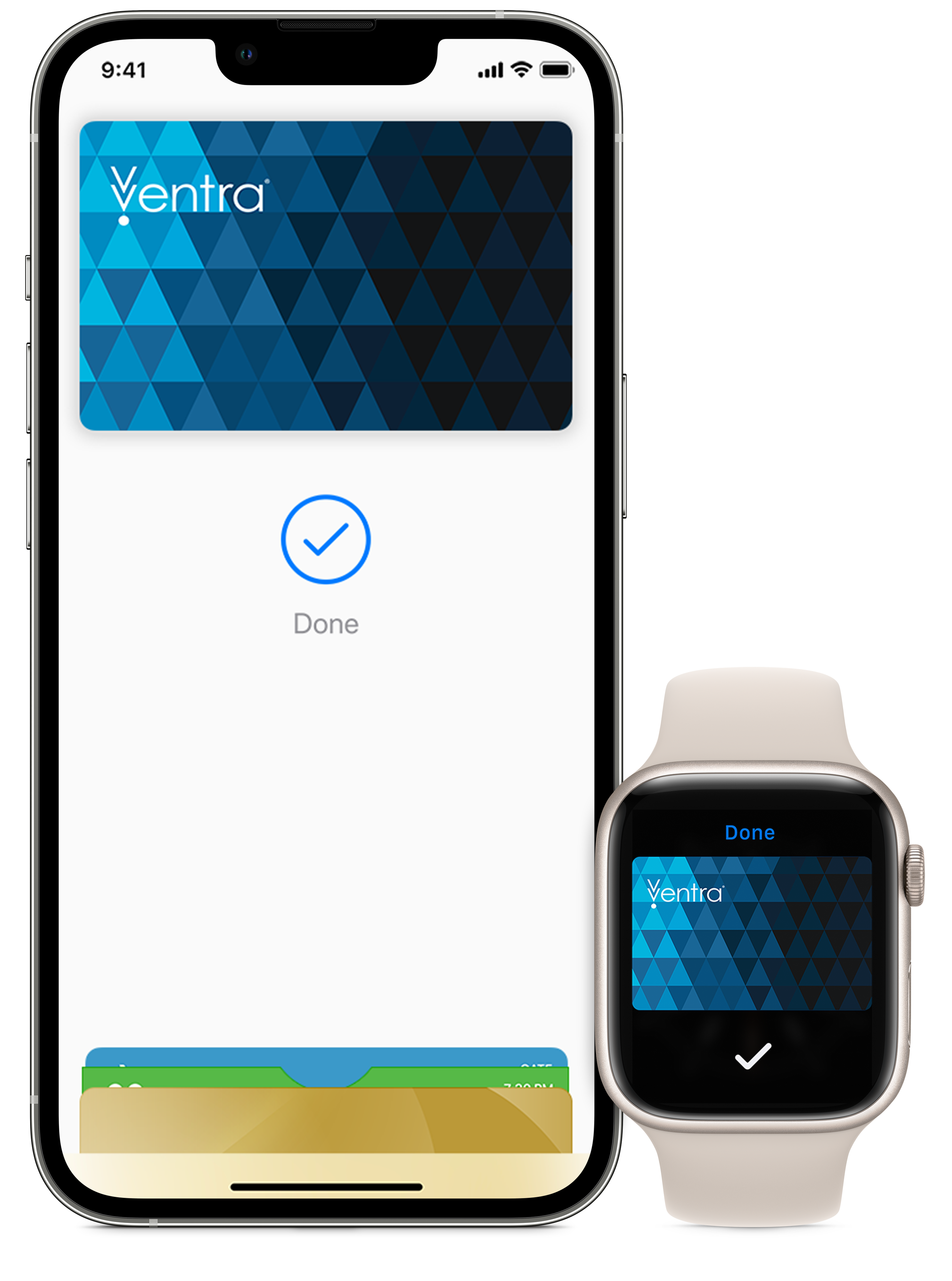
iPhone and Apple Watch displaying Ventra logos

With your Ventra Card on iPhone and Apple Watch it’s easier than ever to get around on CTA and Pace. Just tap your iPhone or Apple Watch to pay for rides using transit value or passes. No fumbling to grab a separate transit card, open apps or even wake your device — it’s that easy! And get the same features of a Ventra Card on your iPhone and Apple Watch, including the ability to load and manage transit value and CTA and Pace passes, autoload, pre-tax transit benefits from your employer, account management features in the Ventra app and more!

To use your iPhone to pay, first download or update your Ventra app and then follow the instructions on this page.

Note: Virtual Ventra cards are not accepted on Pace dial-a-rides. If you want to use Ventra to pay for dial-a-ride trips, do NOT add your Ventra Card to your Apple Wallet, as this ‘virtualizes’ the card and prevents it from being usable to pay your dial-a-ride fare.

Ventra Card on Google Pay has arrived!

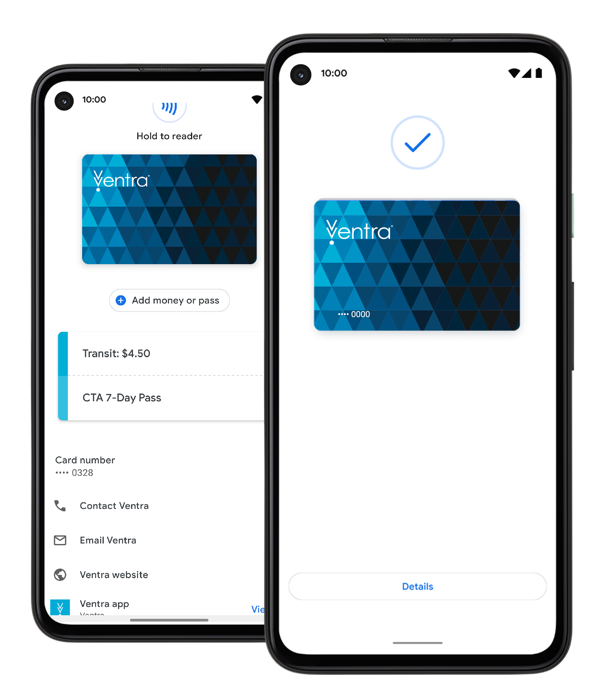
Android smartphone displaying Google Pay images

Adding your Ventra Card in Google Pay makes it easier than ever to tap and go on CTA and Pace. Simply ‘wake up’ your Android phone and then hold your phone at the Ventra reader to pay for rides using transit value and passes. No need to carry a card, open an app or unlock your phone—it’s that easy!

Before you tap and go, check out these five helpful tips:

  1. Get started in the Ventra app. (You can check the Google Play store to make sure you have the latest version.)
  2. Google Pay works on most Android Phones; your phone must be running Android Lollipop (5.0) or higher, and it must have an NFC/contactless payment functionality.
  3. Only full fare Ventra Cards can be added to Google pay at this time.
  4. If you move your existing Ventra Card to Google Pay, the plastic card will stop working. Also, you won't be able to pay for Pace dial-a-ride fares if you transition to this virtual Ventra Card option.
  5. A Ventra Card in Google Pay can only be saved on one device at a time.

Learn more about the new feature here. To get started, you can add an existing plastic Ventra Card or add a new Ventra Card to Google Pay.

Sign up for Email or Text Alerts

Sign up now
  • Alerts & Notices
  • Bus Routes, Schedules and Maps
    • Trip Planner
    • Pulse Rapid Transit
    • Bus Tracker
  • Reservation-Based and Other Services
    • ADA Paratransit Services
    • On Demand
    • Vanpool
    • Community Vehicle Programs
  • Schedules
  • Rider Guide/Rider FAQs
  • Maps
    • On Demand Zones
    • Dial-A-Ride Zones
    • Park-n-Ride Locations
    • System Maps
    • Transit Center Locations
  • Riders with Disabilities
  • Fares & Passes
    • Pay with Ventra
    • Reduced Fare
    • Buy ADA Paratransit Tickets
  • About
    • Leadership
    • Office Locations
  • Customer Service
    • Customer Service Form
    • Directory
  • Employment
  • News
  • Open Data & Transparency
    • Freedom of Information
  • Policies & Legal Notices
  • Projects & Studies
  • Doing Business with Pace
    • Advertising Opportunities
    • Awarded Contracts
    • Contracting Opportunities
  • Disadvantaged Business Enterprise
  • Report website issues

Facebook icon Twitter icon YouTube icon Instagram icon NextDoor iconLinkedIn icon

© Copyright Pace Suburban Bus | All Rights Reserved | Privacy Policy | Sitemap